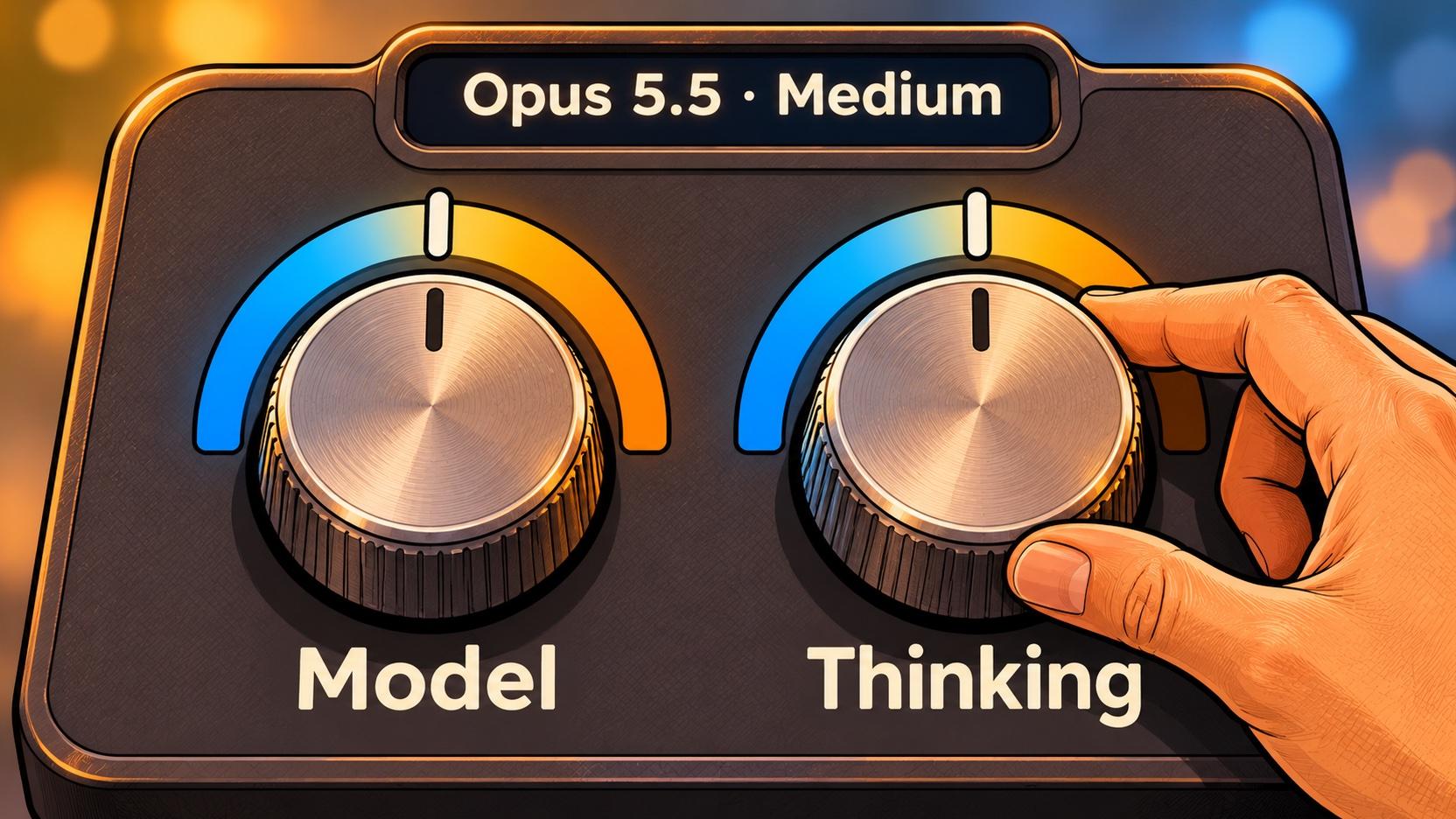
Start with the default. Go bigger, or turn up the thinking, only when the problem is hard.
That's the whole answer. My colleague asked me what the difference is between "effort" and Opus and Haiku, and it took me a while to figure out that Claude Code gives you two separate dials. One picks which model does the work. The other sets how much that model thinks before it answers.
The names change every few months, so I'll teach the pattern and use today's names only as examples. These steps assume Claude Code in the Claude desktop app.
Dial 1: Which model
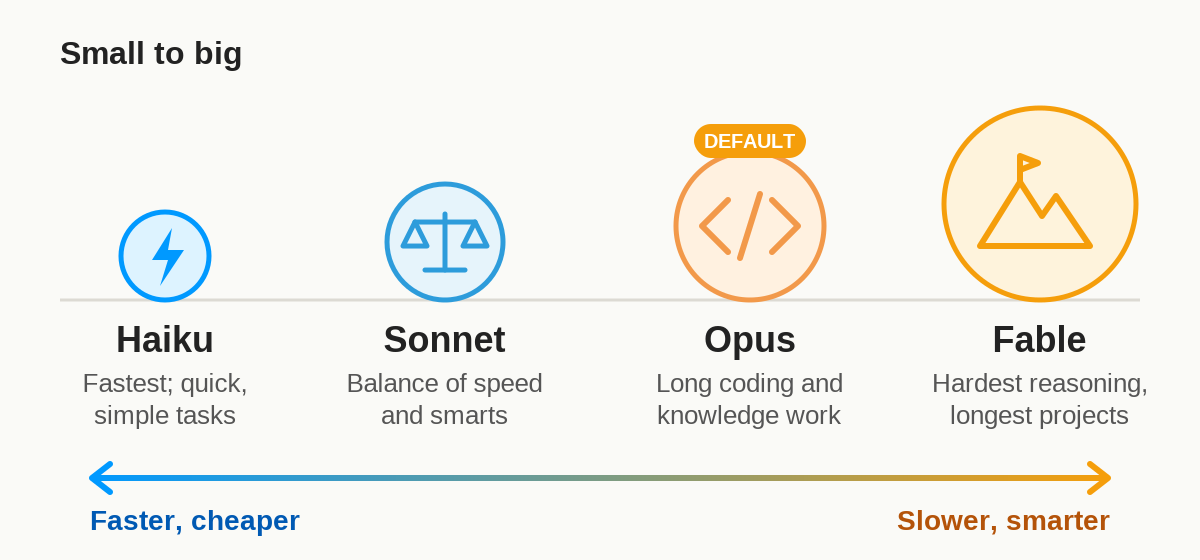
Claude comes in sizes. Smaller models are fast and cheap. Bigger models are slower and cost more, but they're smarter with hard, many-step work.
As of November 2026, the current lineup runs from small to big:
| Model | What Anthropic says it's for |
|---|---|
| Haiku 5.5 | The fastest; quick, simple, high-volume tasks |
| Sonnet 5.5 | "The best combination of speed and intelligence" |
| Opus 5.5 | Long-running coding and knowledge work |
| Fable 5.2 | The most demanding reasoning and long, complex projects |
In Claude Code, Opus 5.5 is the default model on the Pro and Max plans. Fable is only available through extra prepaid credit, and so I haven't used it since I downgraded to the $20 Pro plan. More on usage in Why Did Claude Code Say I Hit My Limit?.
However, bigger isn't always better. On a small task, a bigger model may use more time and usage without giving you a better answer.
Dial 2: How much thinking
Before Claude answers, it can write out its reasoning to itself. Claude Code calls this setting effortSome apps call it "thinking" or "reasoning." Same idea: how much work the model does before it answers., and the levels run low, medium, high, and max. Some models add an extra-high level between high and max.
Higher effort generally means more work on the problem, which can take longer and count more against your usage limit. In Claude Code, Opus 5.5 starts at medium.
Both dials live in one menu. Below the message box, click the button that shows your model and effort (mine says "Opus 5.5 Medium"). Pick a model from the list, or open Effort to change how much it thinks.
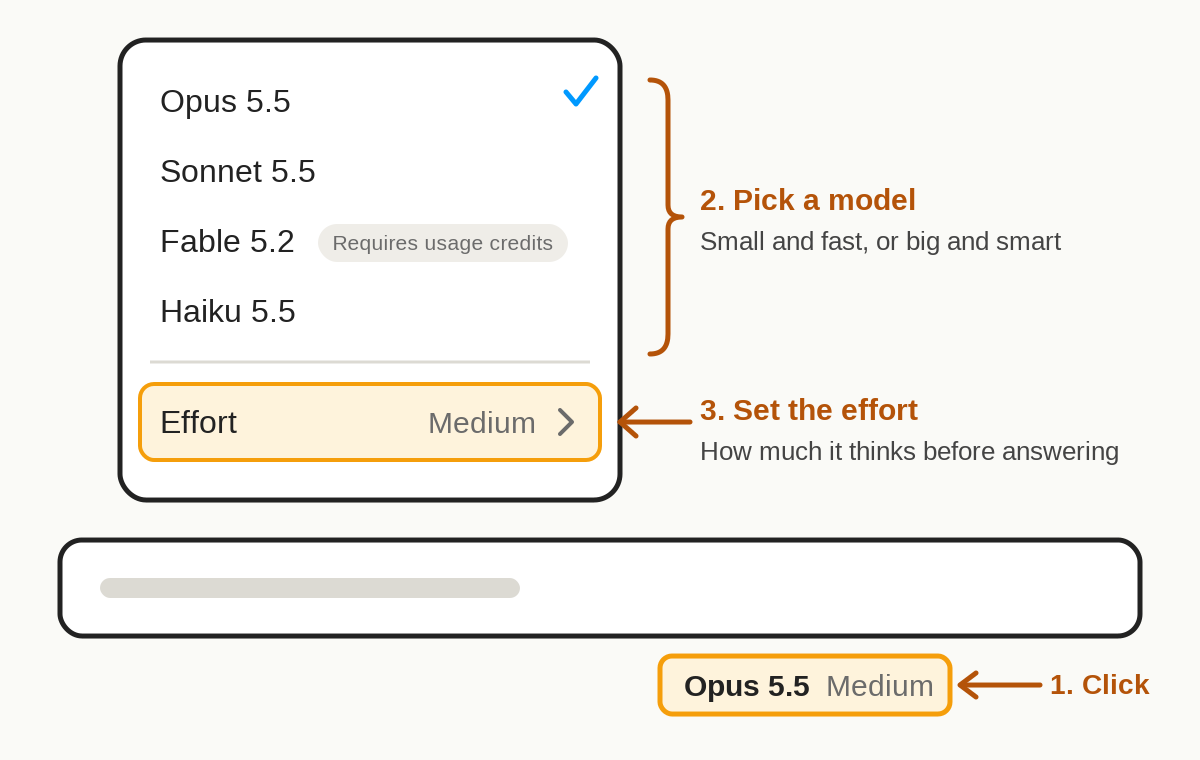
If you prefer typing, /model and /effort do the same thing. The app's layout changes often, so the button may move.
Dual-process theory: System 1 and System 2
The effort dial maps onto something clinicians already know: the two speeds of diagnostic thinking, the quick gut call and the slow, deliberate workup. If you've taught clinical reasoning, you've taught both.
Daniel Kahneman described two ways of thinking in Thinking, Fast and SlowAmazon affiliate link for my coffee budget.. System 1 is fast pattern recognition: you see a band of blisters on one side of the chest and you know it's shingles. System 2 is slow and deliberate: you build a differential and work through it. Pat Croskerry brought this into diagnostic reasoning in his universal model of diagnostic reasoning (Acad Med, 2009).
Low effort is closer to System 1. High effort is closer to a System 2 workup.
Does thinking more help? People vs. models
The model doesn't switch to a different kind of thinking. It's the same model either way. At higher effort, the same model can spend more work reasoning, using tools, and checking its answer.
So does more thinking give a better answer? Here the research on clinicians and the research on AI models point in different directions.
In medical education, telling people to slow down didn't reliably help. Geoff Norman, Jonathan Sherbino, and colleagues ran a trial where residents worked through computer-based cases. Residents told to be careful and reflective took about 30% longer per case, but their diagnoses weren't more accurate than those of residents told to go fast (Acad Med, 2014).
For AI models, more thinking usually does help on hard, many-step problems. But the gains taper off, and on some tasks more thinking makes answers worse. In 2025, Anthropic Fellows and researchers published a paper called "Inverse Scaling in Test-Time Compute""Test-time compute" is the thinking a model does while it answers. "Inverse scaling" means more of it gave worse results.. They built tasks where longer reasoning lowered accuracy. One was a simple counting question padded with distracting details. It was basically "I have an apple and an orange. How many fruits do I have?" with a confusing probability riddle attached. The answer is 2. When the models reasoned longer, they got more distracted, and their accuracy dropped.
More thinking helps on hard problems. On easy ones, it can talk itself out of the right answer.
What I actually do
I used to put everything on high. More thinking had to be better, right?
Now my default is Opus 5.5 on medium, as recommended by Claude Code. It's universally very capable, and it seems to be rather token-efficient despite the workloads I give it.
Choosing which model and level of thinking is best for you is subjective. Two people can do the same work on different settings and both be happy. If an answer comes back thin or wrong on a hard problem, that's your signal to turn a dial up.
Where to start
Leave both dials on the default. When a problem is hard, with many steps or a big first build, try more effort or a bigger model. When a task is tiny, try a smaller one.