
In medicine we talk about cognitive load. Hold too many things in your head at once and you start dropping them. AI has its own limit on how much it can work with at once: the context window.
Working memory, for AI
The context window is everything the AI can hold in mind at once in one conversation: your messages, its replies, the files it read, the instructions it was given. All of it counts, measured in tokens.
Your brain has working memory, what you're juggling right now, and long-term memory, what you've learned. AI has versions of both:
- Working memory is the context window. A new chat starts without the previous conversation.
- Long-term memory comes in two kinds. What the AI learned in training stays with it. Notes saved to files can be loaded again next time, like the instruction files Claude Code reads when a session starts.
Bigger isn't the same as better
Claude Code's context window can now hold up to about a million tokens. That's roughly the first five Harry Potter books.
But a bigger window doesn't mean better focus. Think of a long day at work. You told yourself that morning to pick up milk on the way home, and you walk in the door without it. The AI can get forgetfulResearchers have measured this: models can get less reliable as the input grows, even before the window is full. How much depends on the model and the task. the same way as a conversation gets longer.
I've seen it in my own long sessions. Claude Code skips instructions I gave earlier. It picks up a wrong fact and goes down a rabbit hole chasing it. So I try to keep a session under about 200,000 to 300,000 tokens. That's my own rule of thumb, not a tested cutoff.
When the context window fills up
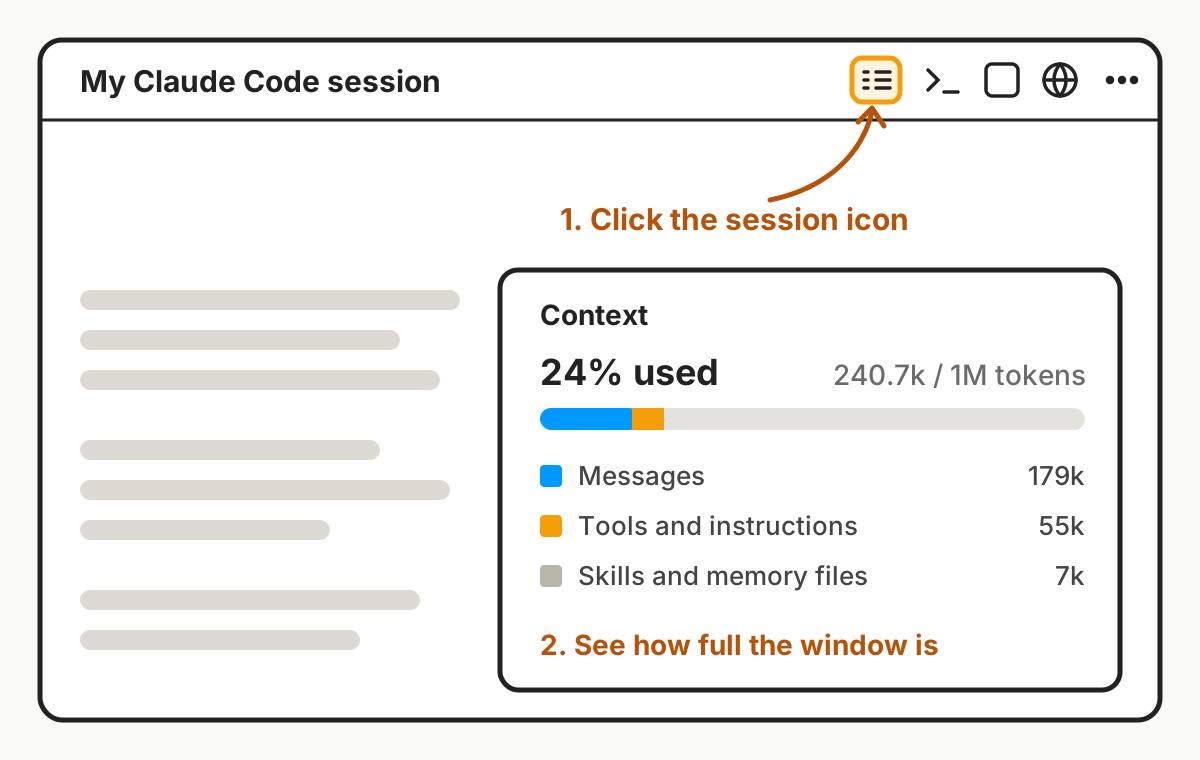
Claude Code doesn't just stop when the window gets full. It compacts: it summarizes the earlier conversation into a shorter version and keeps going. That frees up room, but details can get lost in the summary. You can also see how full the window is. In the Claude desktop app, click the session icon at the top right, and the side panel shows how much of the context window you've used. The app's layout keeps changing, so if you can't find it, type /context in the chat instead.
Every reply rereads the whole conversation
Here's something I didn't know at first. The AI doesn't remember the conversation between turns. Each time you send a message, it reads the entire conversation again from the top, then answers.
So a long session doesn't just crowd the window. Every new message costs more, because everything before it gets read again. That's another reason long sessions use up your usage limit faster.
How I know it's time for a fresh session
My quick check: the scroll bar. When the conversation gets so long that the scroll bar on the right shrinks from a line to almost a dotNot scientific. But it works for me., it's time.
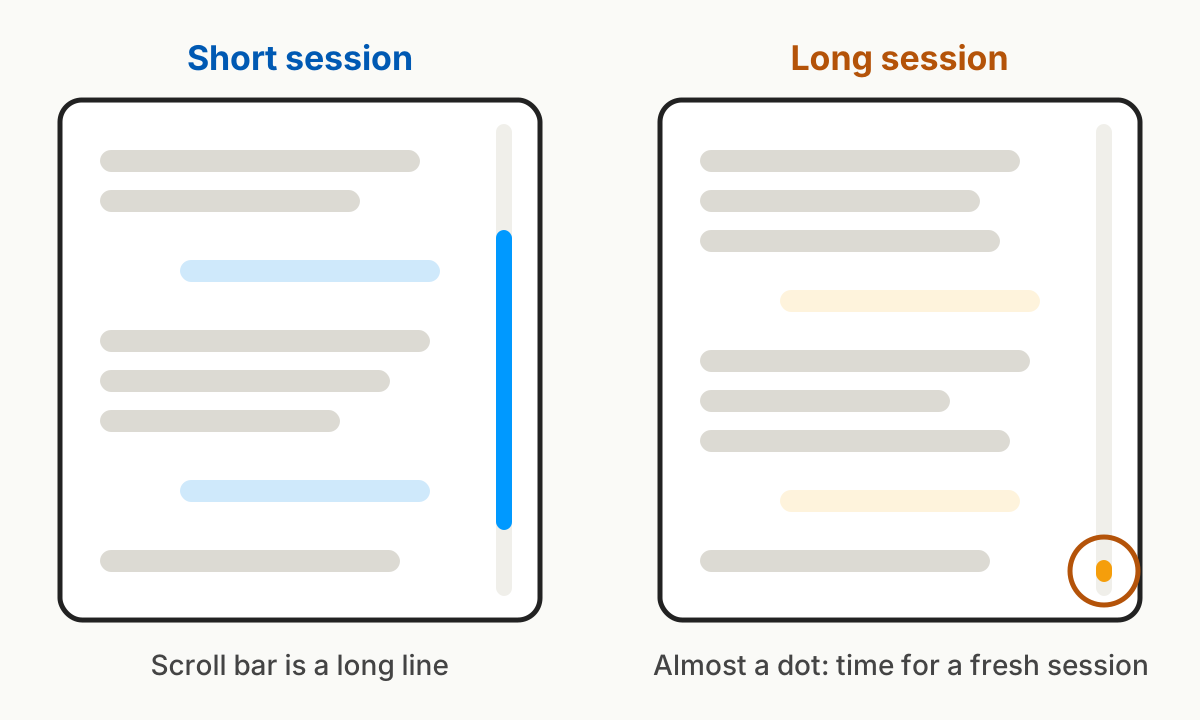
Then I ask Claude Code to write a summary of where we are: what's done, what's left, what we decided. It saves that as a Markdown document. I start a new session, have it read that document by name, and continue.
When the AI starts forgetting your instructions or chasing wrong facts, start a fresh session with a summary you've checked.